X Challenge for iPhone
IN THE APP
The medal is the reward. The app is the part you actually use — it records the run, counts the distance against your challenge, and decides the moment you have finished. Here is all of it.
 AndroidComing soon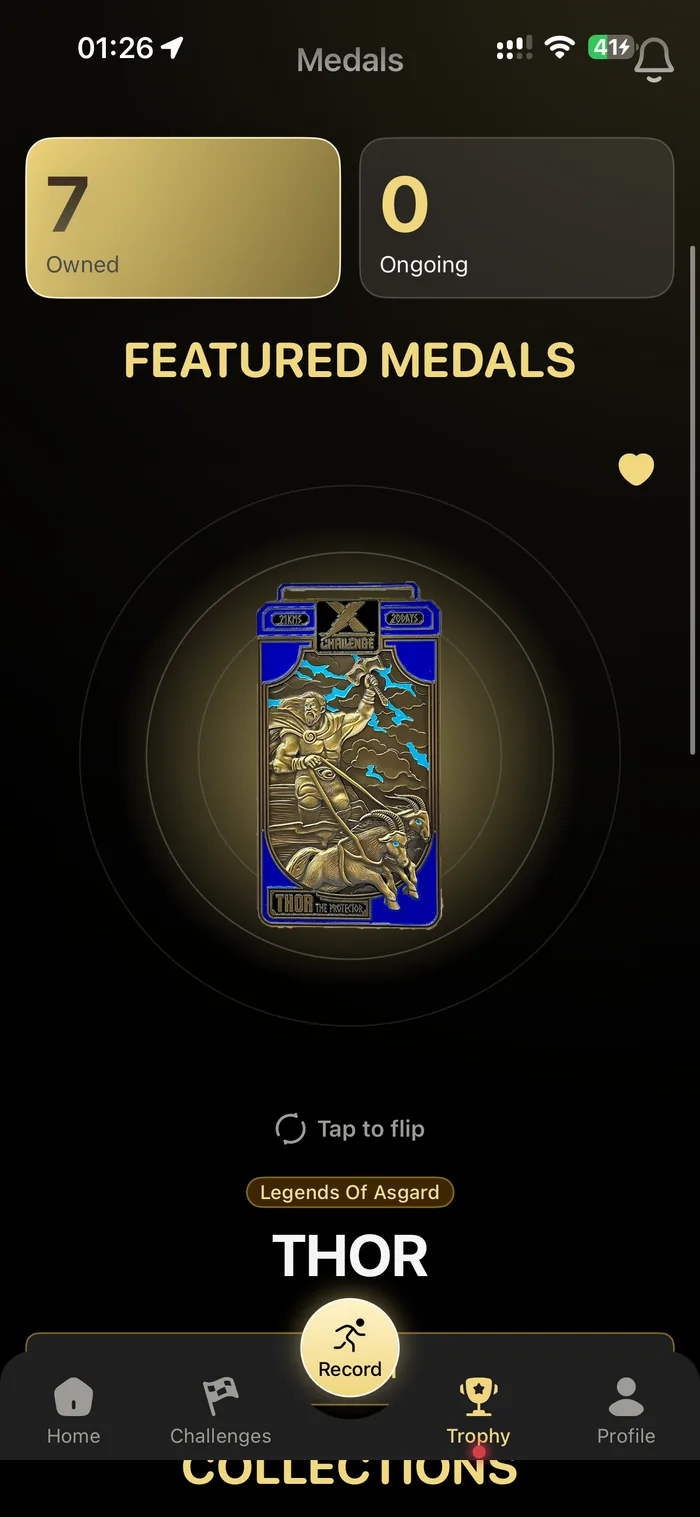
EVERY SCREEN, IN THE ORDER YOU MEET THEM
The app has one tab bar and it does not hide anything behind a menu. This is that tab bar, top to bottom.
- 1Home
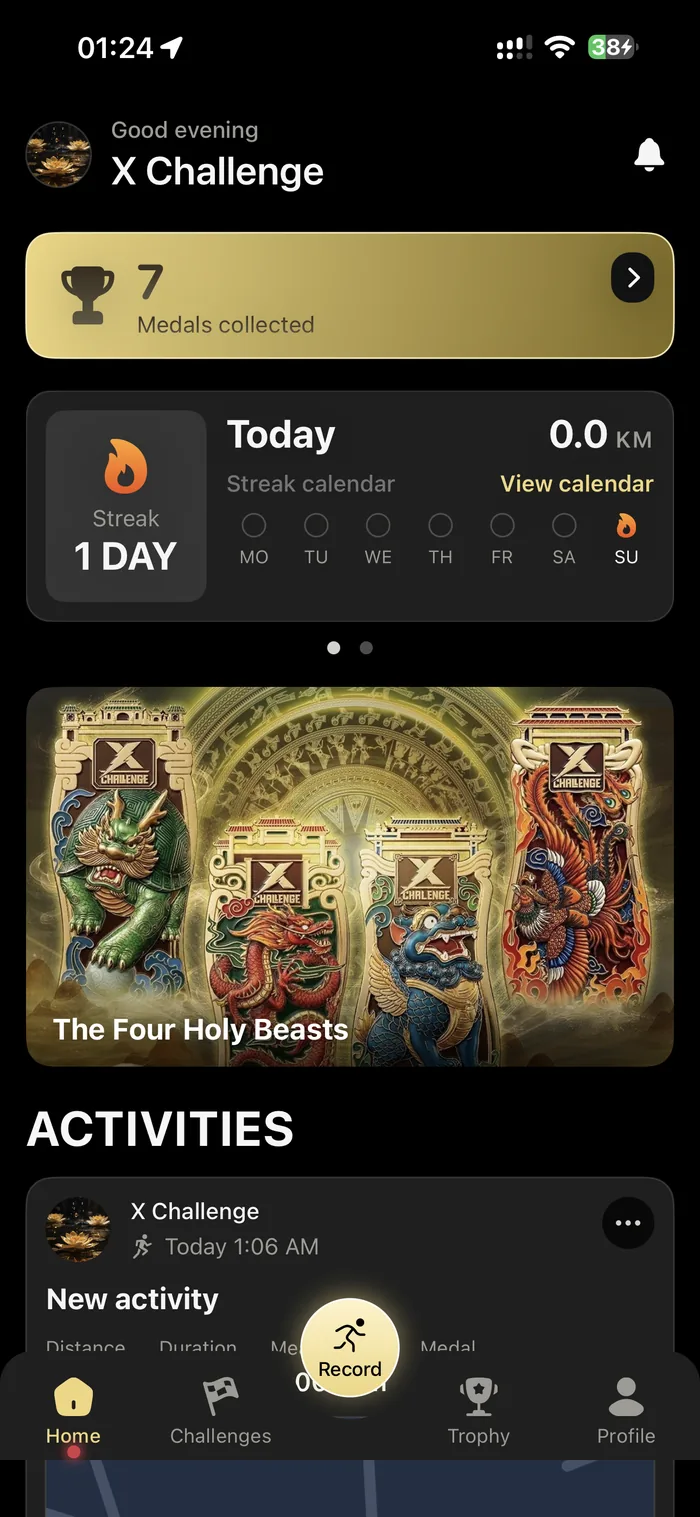
It opens on where you stand
Medals collected, the streak you are keeping, the challenge you have running, and the activities behind them. The first screen is a status report, not a menu.
- Medals collected, counted on arrival
- A day streak, with the week marked off beside it
- Your active challenge, one tap from the run
- Recent activities with distance, duration and the medal each one fed
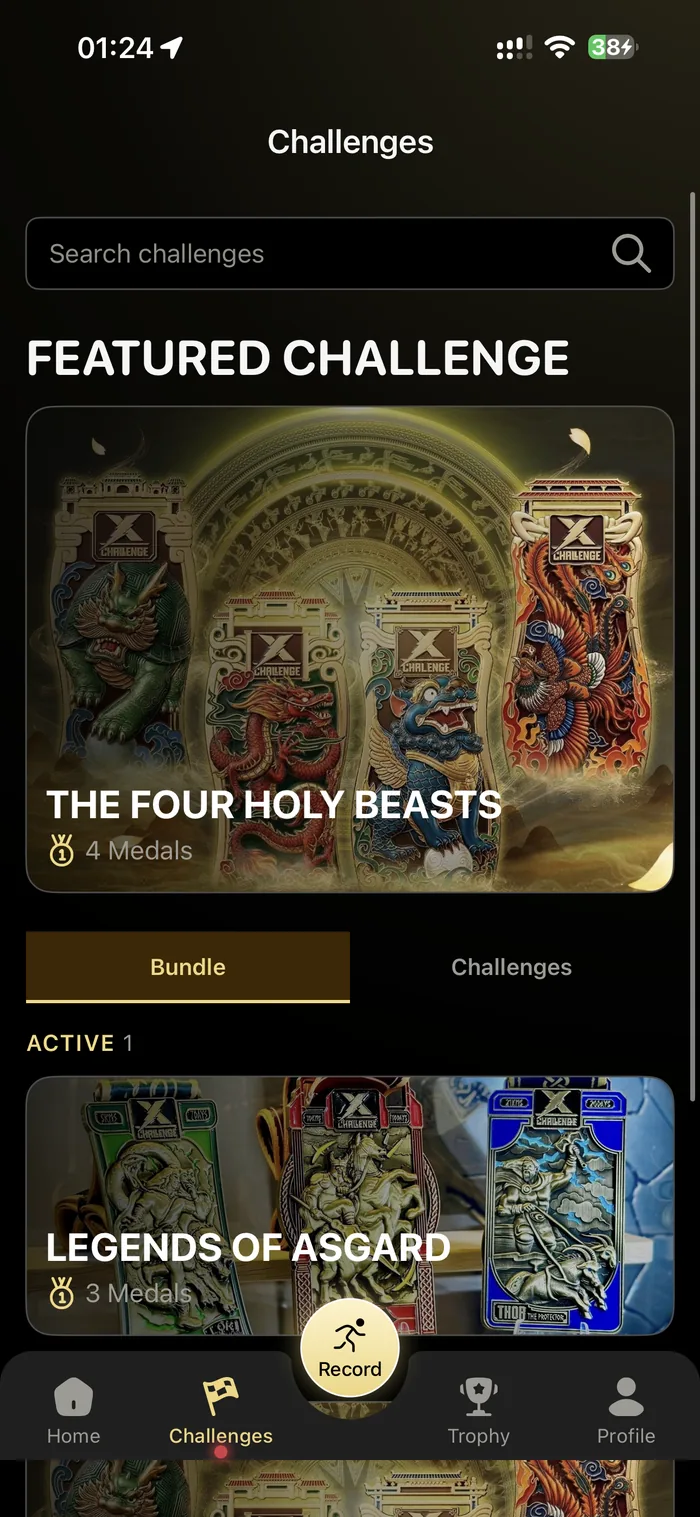
- 2Challenges
Everything you own, and what comes next
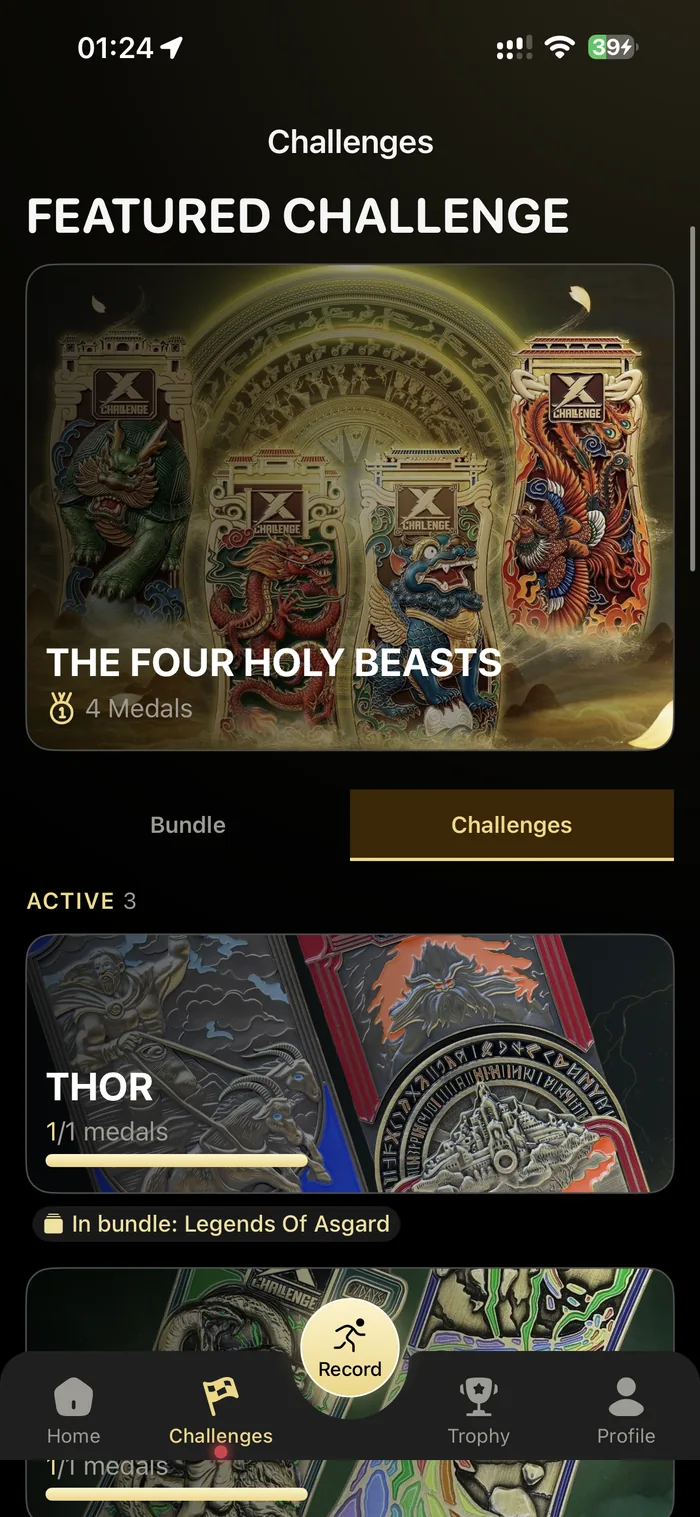
Bundles and single challenges sit under one search. Each active challenge carries its own progress bar, and a child challenge says which bundle it belongs to.
- Search across every challenge
- Bundles and single challenges on separate tabs
- Progress bar on every active challenge
- Children labelled with the bundle they came from
- 3Record
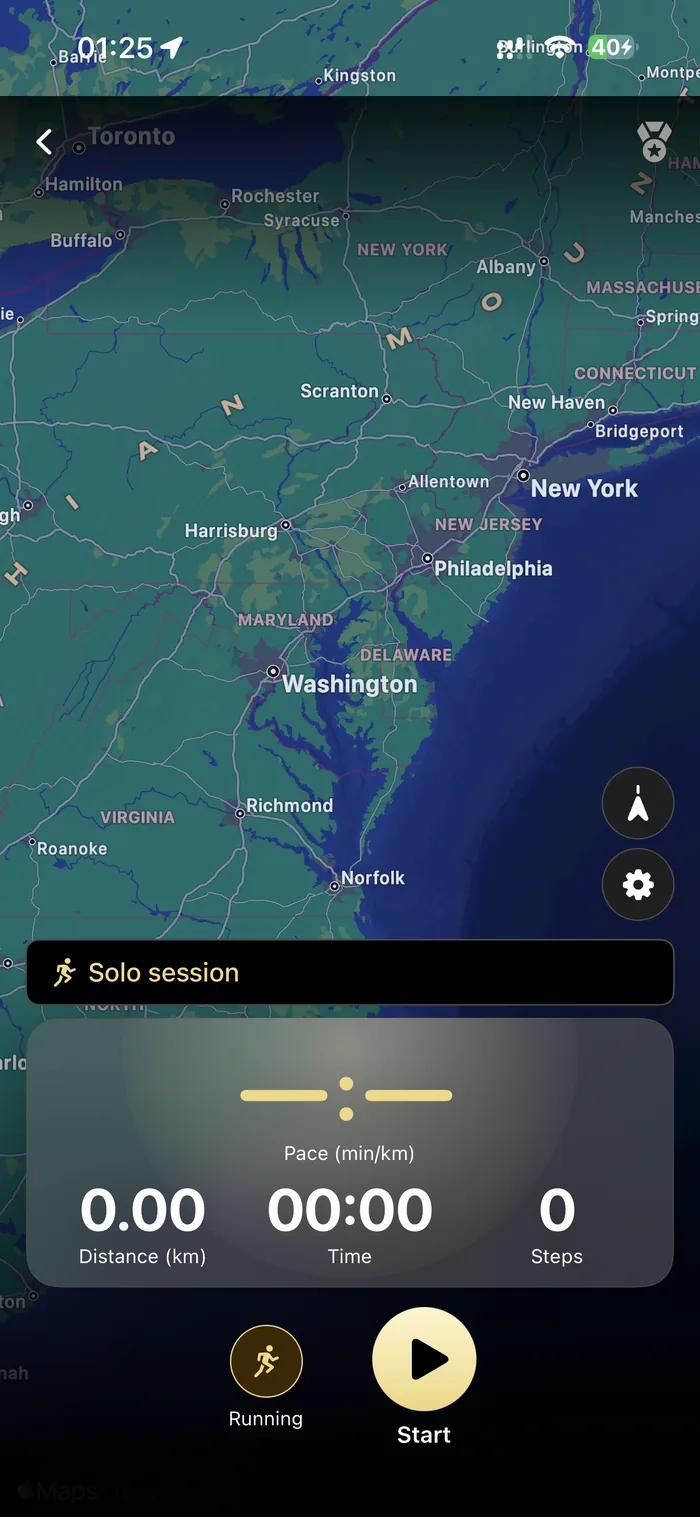
Press record and go
Pick the activity, press start. Pace, distance, time and steps count up on the map, and the run keeps recording with the phone locked and in a pocket.
- Running, riding or walking — pick before you start
- Pace, distance, time and steps, live
- Apple Maps underneath, in 3D or flat
- Keeps recording in the background
- 4Record
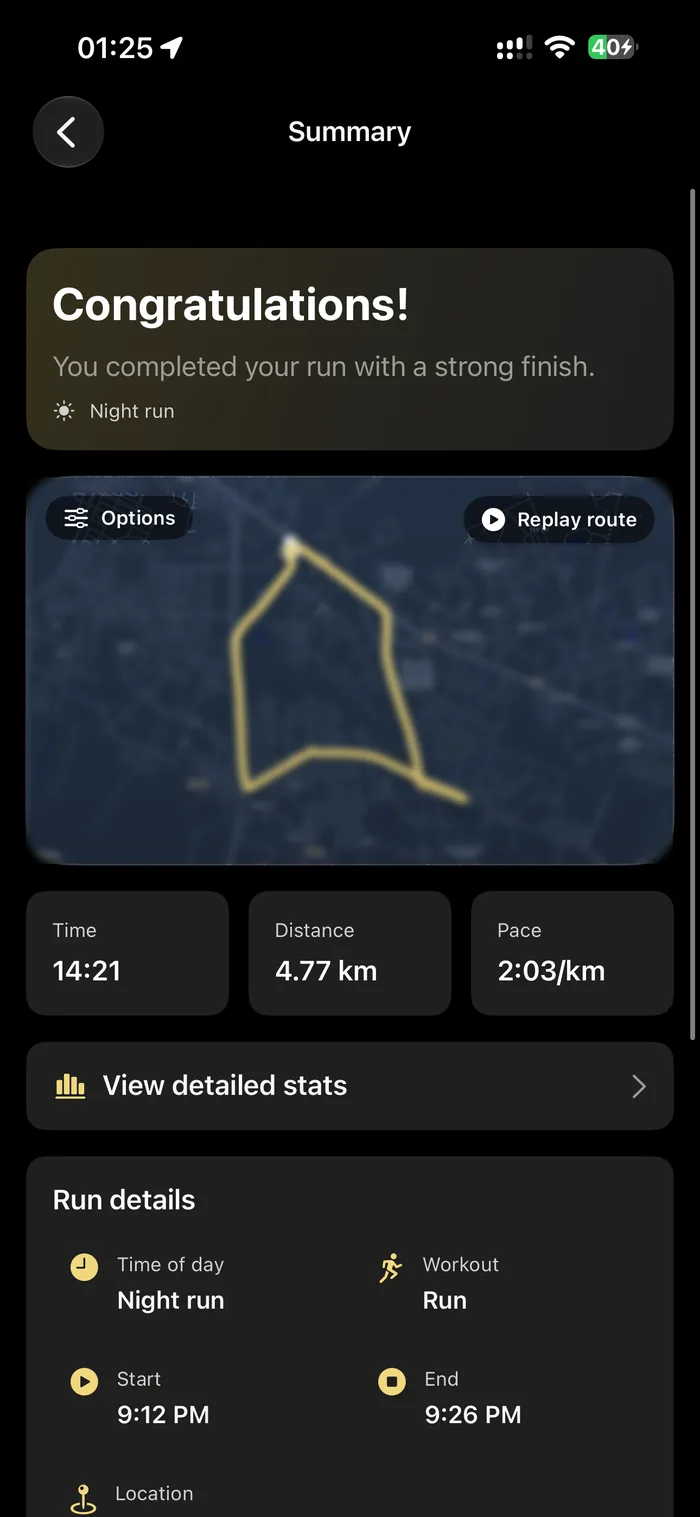
Stopping gives you the run back
The summary draws the route you actually took, names the time of day you ran it, and lets you replay the whole thing from the start point.
- Your route, drawn on the map
- Replay the run from the beginning
- Time, distance and pace on one card
- Start and end times, workout type, location
- 5Record
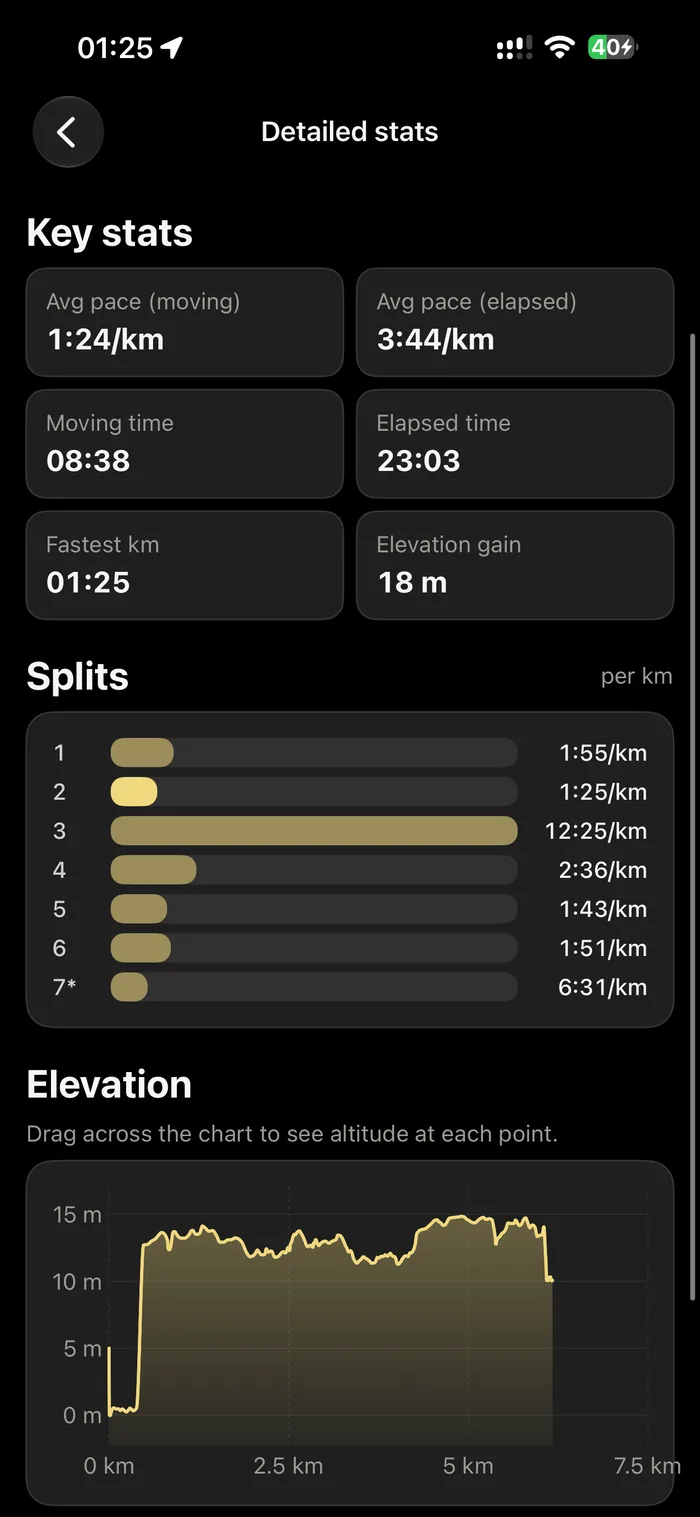
Then it takes the run apart
Behind the summary is the breakdown: every kilometre as its own split ranked against the others, the climb you actually did, and moving time separated from the time you stood still.
- Splits per kilometre, ranked against each other
- Elevation traced across the whole route
- Moving time and elapsed time counted separately
- Fastest kilometre and total climb called out
- 6Trophy
The shelf
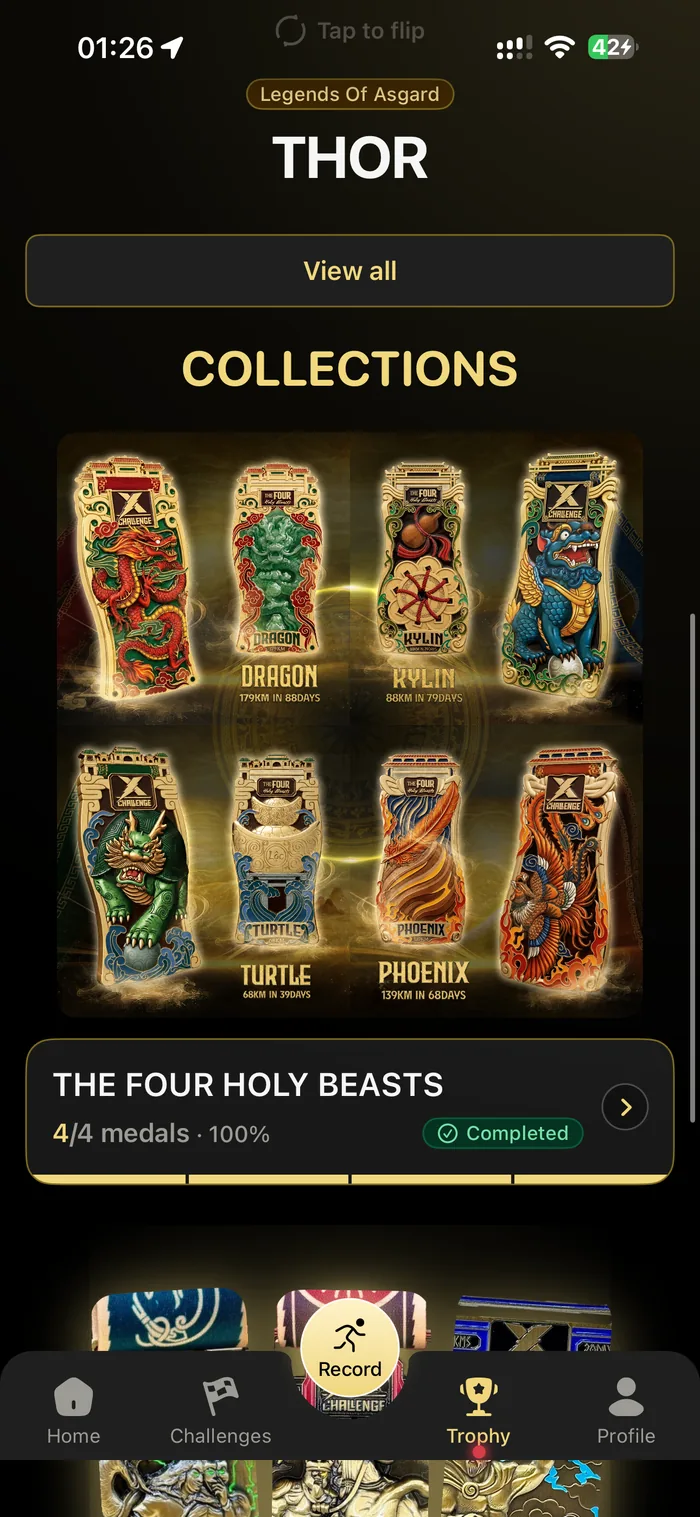
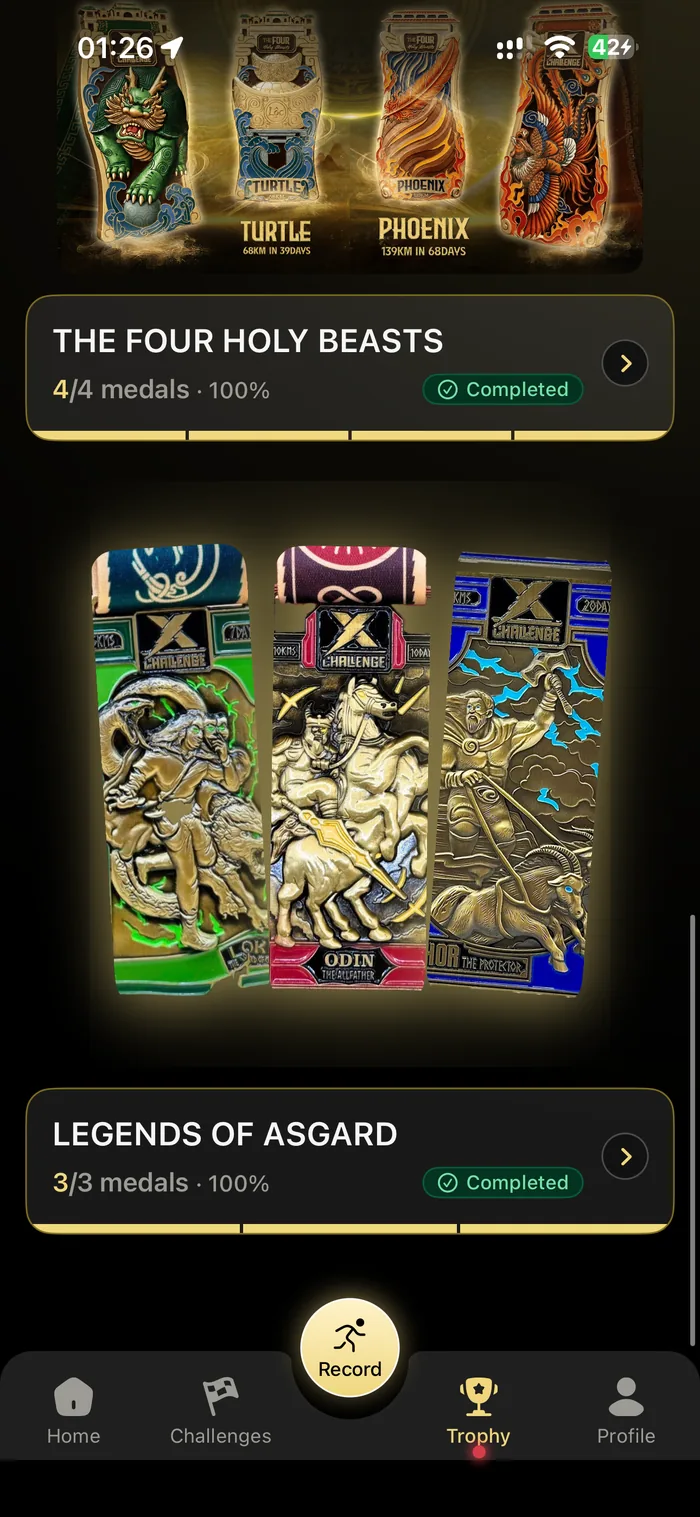
Every medal you have earned, rendered so you can turn it over and read the back. Collections track themselves — a bundle is only finished when each medal in it is.
- Owned and ongoing, counted at the top
- Tap any medal to flip it and see the reverse
- Collections tracked as a set, four of four, three of three
- Distance and day limit printed on every medal
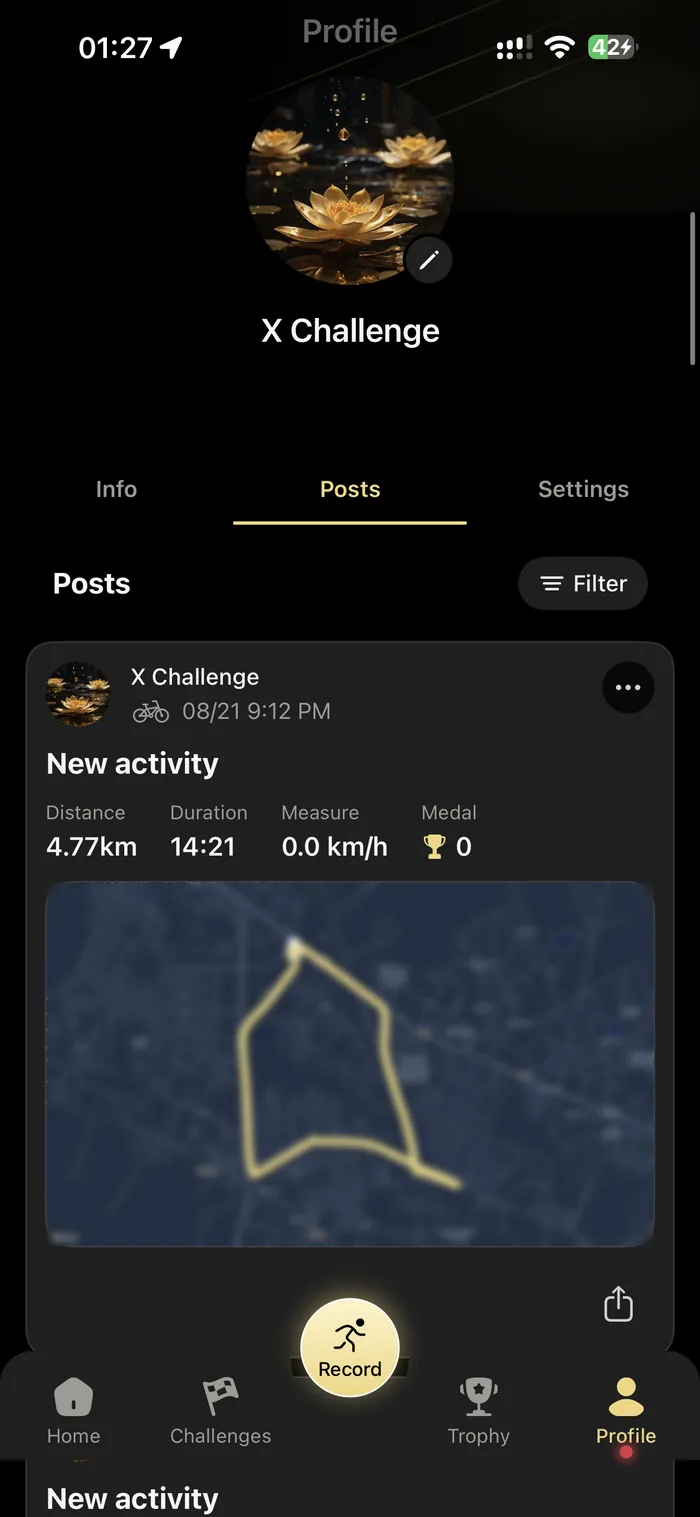
- 7Profile
And the settings that matter
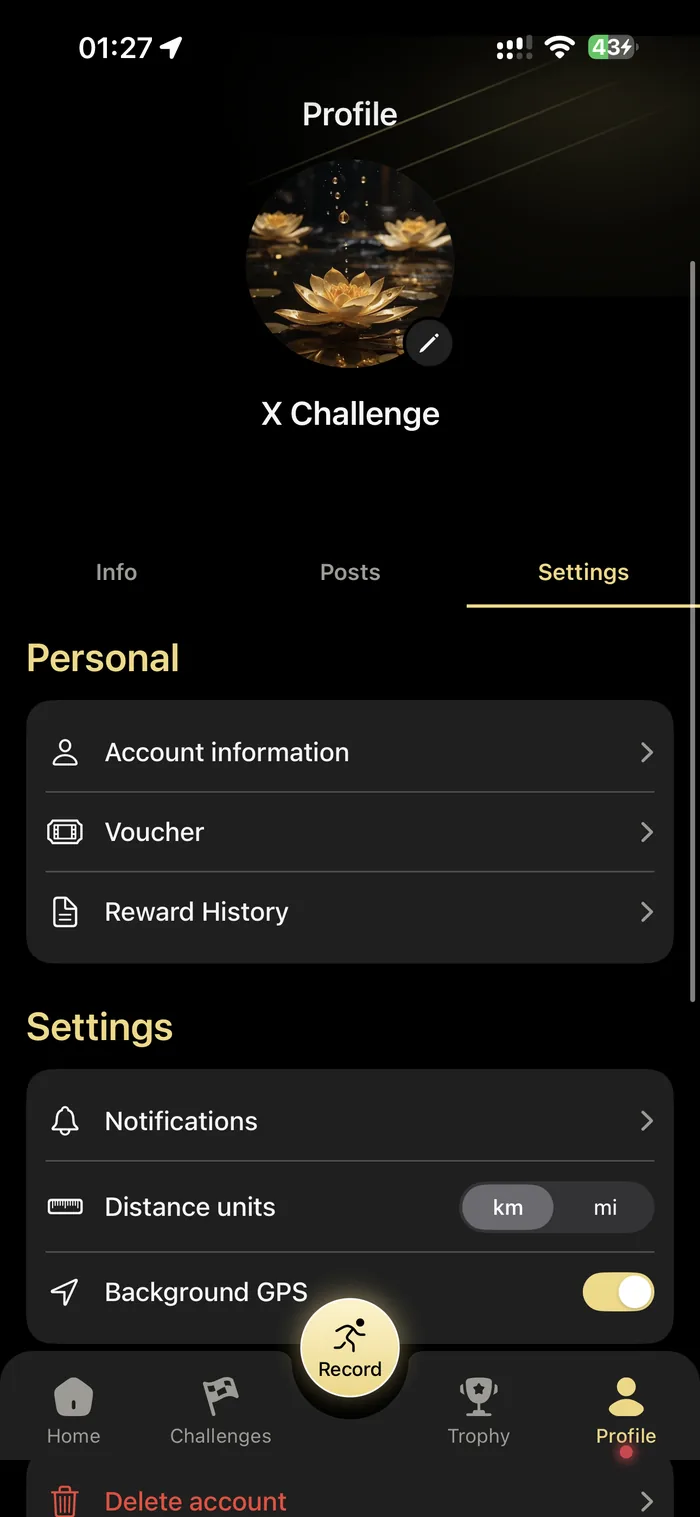
Kilometres or miles, background GPS, which notifications reach you, your vouchers and reward history — and deleting the account, in the app, without writing to anyone.
- Distance in kilometres or miles
- Background GPS as a switch you control
- Vouchers and reward history in one place
- Delete your account from inside the app
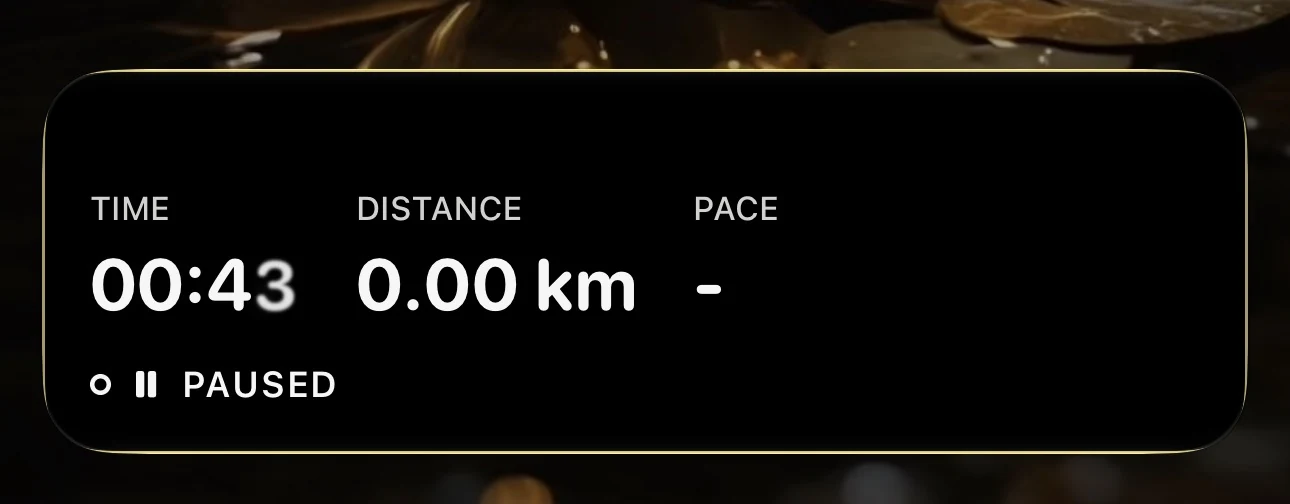
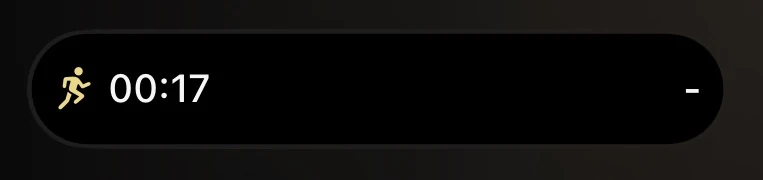
YOU DO NOT HAVE TO OPEN IT
While a run is going, the numbers live on the lock screen and in the Dynamic Island. Glance down, keep moving.
AND THE REST OF IT
The parts that do not get a screen of their own.
While you run
- Health data
- Heart rate and calories read from Apple Health, with your permission and no more often than the run needs.
- Any activity
- Runs, rides and walks all record. Distance counts toward whatever challenge you have open.
- Time of day
- The app names the run for when you did it — a night run stays a night run in your history.
When you finish
- Medal awarded
- The app checks the threshold as the run finalises and tells you the moment you cross it.
- Digital Finisher Record
- Issued for the collection, with a certificate for each challenge inside it.
- The physical medal
- Shipped to you. Status and tracking number sit in the app.
Notifications
- Run confirmed
- Sent once the distance is counted, so you know it landed.
- Milestone and expiry
- A nudge halfway, and again when the window is closing.
- Order shipped
- Sent when your medal leaves the warehouse.
- Sign in
- Apple, Google, or an email address and password.
Where you can get it
- iPhone
- Everything on this page. Free, iOS 17.0 or later.
- Android
- In development. It is not on Google Play yet, so there is nothing to install today.
THE APP IS FREE. THE MEDAL IS EARNED.
Download it and look around before you buy anything — the challenge catalogue is in there too.