
How do virtual races work? A step-by-step guide
Updated · 6 min read

In short: A virtual race works in five steps. You sign up online and pick a distance. You get a window of time to complete it. You cover the distance wherever you like, in one go or across several sessions depending on the format. You record it, either by submitting a result or by letting a tracking app log it. Then a finisher medal is mailed to you, either at sign-up or after you finish. The details at each step vary a lot between organizers.
The short version
- Sign up and pay for a distance.
- Learn your window: fixed dates, or a clock that starts when you choose.
- Cover the distance: outside, on a treadmill, in one go or in pieces.
- Record it: submit a result, sync an app, or let the organizer’s app track it.
- Get the medal: mailed at sign-up, or only once you finish.
Step 1: Sign up and choose a distance
Most virtual races sell one or more distances, from a 5K up to a marathon or long cumulative goals. You pay online and get a confirmation email. Some events include a printable bib, a shirt or extras at a higher price.
Pick the distance by what you do now, not what you hope to do. If you are new, a 5K or a long-window cumulative challenge is the safe start. Our guide to 5K, 10K or half marathon goes through it.
Step 2: Understand your window
There are two common setups. Many events have fixed dates, say one weekend or one month, and everyone finishes inside them. Others let you start whenever you like, and a clock begins at that point.
Fixed dates create a shared moment, which is nice with friends. A start-when-ready window is easier to fit around travel, illness or a busy month. Before you buy, check which one you are getting and what happens if you miss the end.
Step 3: Cover the distance
This is the part that is up to you. You can run your neighborhood, a park loop, a trail or a treadmill. In a one-run race you cover the full distance in a single session. In a cumulative challenge you add sessions until you reach the total.
- Walking almost always counts. Check the rules if you care about running every step.
- Treadmills usually count, though some events want an outdoor GPS record.
- Some cumulative challenges also accept cycling, swimming or rowing.
- Plan your route for safety: daylight where you can, sidewalks, and somewhere to stop if you need to.
Step 4: Record and submit
This is where formats differ most. Many organizers ask you to type in a time or upload a screenshot from a watch or running app. Others sync with a fitness platform. A few run their own app, which records each session as it happens, so there is nothing to submit at the end.
Self-reporting is simple, but it means a medal can go to anyone who fills in a form. App recording takes a phone in your pocket, and the medal then stands for distance you actually covered. See the formats compared for more.
Step 5: The medal
Some organizers ship the medal as soon as you sign up, so it may arrive before you have taken a step. Others ship it only once your result is in. Shipping times range from days to weeks, so check before you buy one as a gift or for a date that matters.
From sign-up to medal: a timeline
How long the whole thing takes depends on the window and on shipping. Here is how it adds up for three X Challenges, if you start the day you buy.
| Challenge | Window | Shipping after finish | Medal in hand within |
|---|---|---|---|
| Loki | Up to 7 days | 5–10 business days | About 21 days of starting, usually sooner |
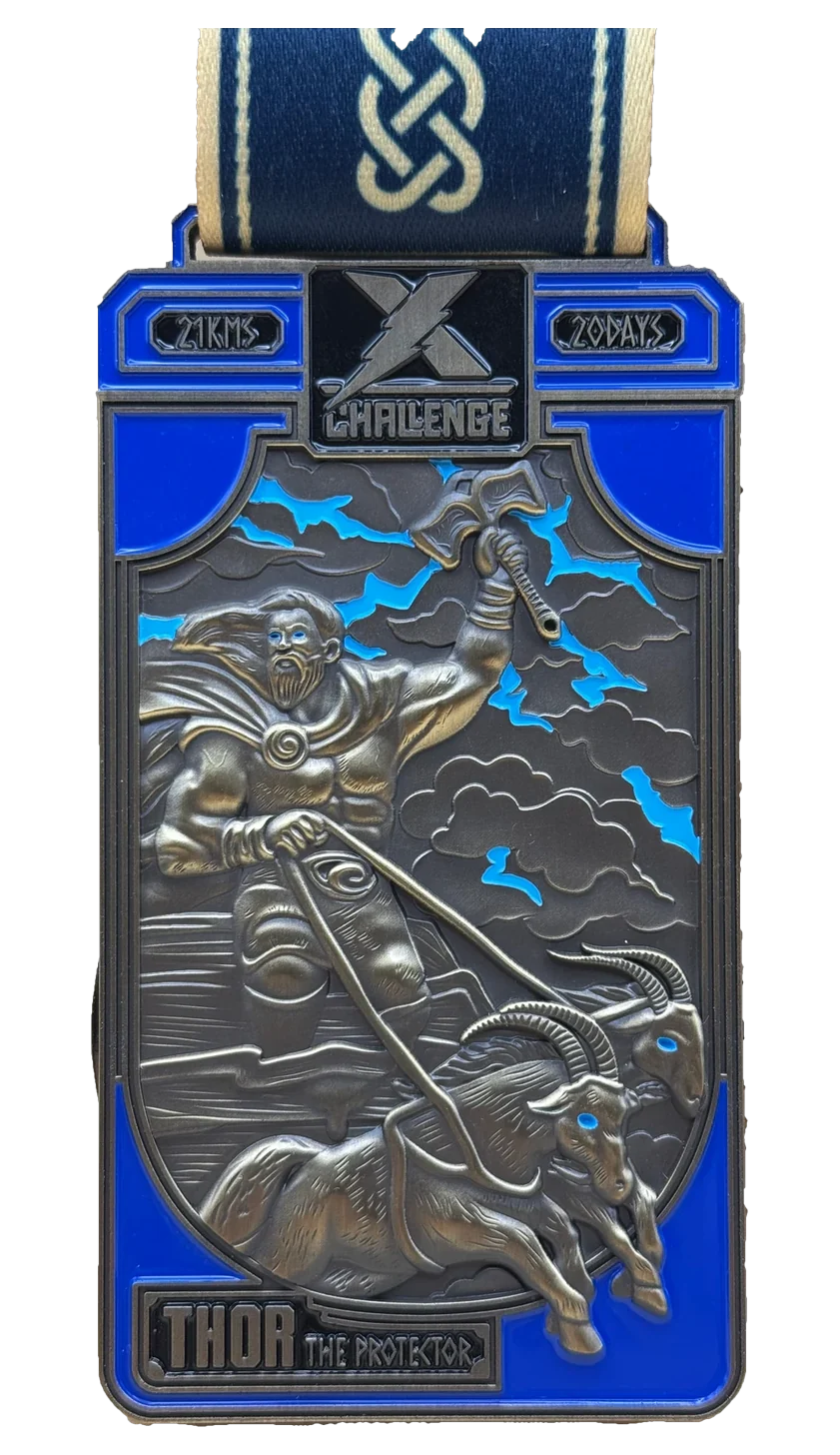
| Thor | Up to 20 days | 5–10 business days | About 34 days of starting, usually sooner |
| Dragon | Up to 88 days | 5–10 business days | About 102 days of starting, usually sooner |
Finish early and the medal comes early. If you want it by a date, such as a birthday, count back from that date and add two weeks for shipping.
Where to do it
A virtual race is as good as the route you give it. A few ideas that work for most people:
- A park loop of a known length. Counting laps is easier than planning a long line through traffic.
- A rail trail or greenway. Flat, car-free and often marked every half mile.
- A high school track, when it is open to the public. Four laps is about a mile.
- Your own neighborhood, broken into short out-and-backs from your front door.
- A treadmill at home or the gym, for heat, cold, rain or dark evenings.
What to bring
- A charged phone, with location access turned on for your tracking app.
- Comfortable shoes you have already walked or run in.
- Water if you will be out for more than about half an hour, or in the heat.
- Lights or reflective clothing if any of it is before sunrise or after sunset.
- Your phone number or ID in a pocket, in case you need help.
Mistakes first-timers make
- Buying and forgetting. Put the start date in your calendar the day you buy.
- Assuming the medal comes automatically. Read when and how it ships.
- Not checking the tracking works before the real session. Do a short test walk first.
- Going out too fast on a one-run race because nobody is around to pace you. Start easier than feels necessary.
How it works on X Challenge
| Step | On X Challenge |
|---|---|
| Sign up | Choose a challenge from 5 km to 179 km, or a collection, and pay through the Shopify checkout. You must be 18 or over. |
| Get the app | Download the free X Challenge app for iPhone and sign up with the email you used at checkout. The challenge is waiting there. Android is in development. |
| Window | Each challenge has its own window, from 7 to 88 days. It starts when you tap Start in the app, not when you buy. |
| Cover the distance | Any activity the app records distance for: running, walking, hiking, treadmill, cycling, swimming, rowing. One session or many. |
| Record it | Phone GPS outdoors, indoor mode on a treadmill or indoor bike, or a distance entered in the app. No Strava or Garmin needed. |
| Medal | Ships 5–10 business days after the app records your finish, tracked, to the 50 US states. A digital certificate appears in the app too. |
The full walkthrough with screenshots is on how it works, and the app itself is shown on the app page.
Common questions
- Do I need a race bib? No. Some organizers send one as a keepsake, but it is never needed to finish.
- Can I do it with friends? Yes. Each person signs up and covers the distance where they live, or you walk it together.
- Can I pause? A window keeps running once started, so choose a start date with a clear calendar.
- Is there a finish time? Some one-run races record one. X Challenge does not rank anyone. You finish when the distance is done.
- Is a virtual race legit? Most are. Check who runs it, what the medal looks like and the refund terms, as set out in are virtual races worth it.
- Can I walk the whole thing? Yes, in nearly every virtual race and every X Challenge.
Challenges from this guide


Or take the whole set

More: all guides · how it works · every challenge